
Introduction
We’ve all received strange emails or messages that make us raise an eyebrow. Most of the time, they’re nothing but spam. But sometimes, they can be something much more dangerous: phishing scams.
Phishing is a tactic used by cybercriminals to trick individuals into providing sensitive information, such as passwords, credit card numbers, or personal details. In this blog post, we’ll uncover how phishing works, its different forms, and how you can protect yourself.
What Exactly is Phishing?
Phishing involves deceiving people into thinking they’re interacting with a trustworthy entity. This could be through emails, text messages, or even phone calls. The goal is simple: get you to share confidential information.
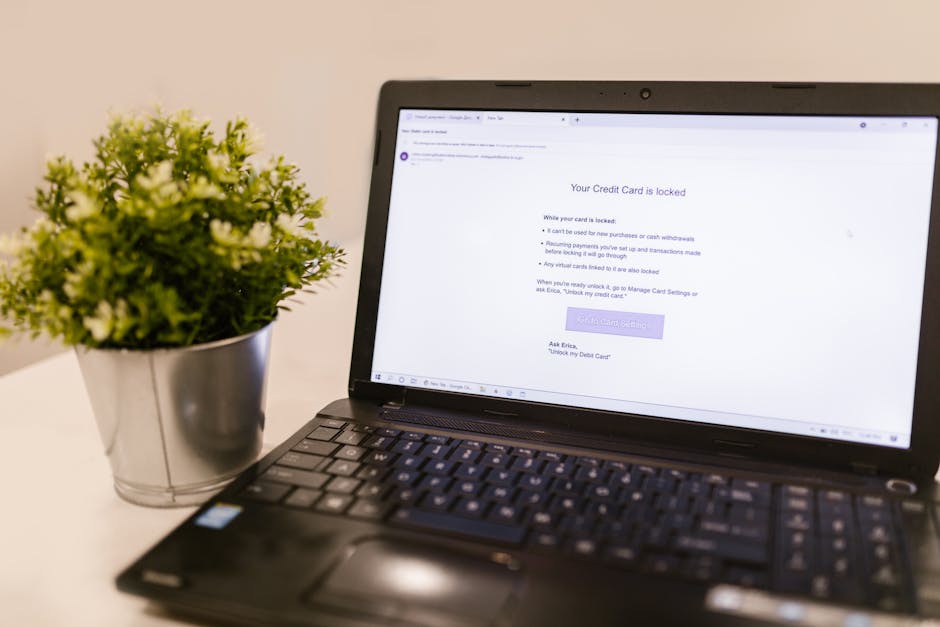
Imagine you’re checking your email and receive a message that looks like it’s from your bank, asking you to verify your account. That’s phishing! The sender is trying to steal your money.
Types of Phishing Scams
Phishing isn’t just one-size-fits-all. Here are some popular forms of phishing you might run into:
- Email Phishing: The most common type, where fake emails mimic legitimate companies.
- Spear Phishing: Targeted attacks aimed at specific individuals or organizations, often using personal information.
- Whaling: Similar to spear phishing but targets high-profile individuals like executives.
- Vishing: This is voice phishing, where attackers use phone calls to deceive victims.
- Smishing: Phishing through SMS or text messages.
The Telltale Signs of a Phishing Attempt
Knowing how to spot phishing attempts can save you a lot of trouble. Here are some signs to watch out for:
- Unusual Sender Email: Check for misspelled domain names or strange email addresses.
- Generic Greetings: Phishers often use “Dear Customer” instead of your name.
- Urgent Calls to Action: Phrases like “act now” or “your account will be suspended” can be warning signs.
- Suspicious Links: Hover over links to see if they lead where they claim to.
- Unexpected Attachments: Be cautious of any attachments from unknown sources—they could contain malware.
Real-Life Examples of Phishing
Phishing is not just theoretical; it has real-world consequences. Here are a couple of notable cases:
- The Target Data Breach (2013): Hackers gained access to 40 million credit card accounts by using phishing emails to get access to Target’s network.
- The Google and Facebook Scam (2013-2015): A Lithuanian man tricked these tech giants into paying $100 million by posing as a supplier.
How to Protect Yourself from Phishing
So, how can you defend yourself against phishing attacks? Here are some effective strategies:
- Be Skeptical: Always question unexpected messages.
- Verify Requests: Contact the company directly using verified contact information before sharing any details.
- Use Two-Factor Authentication: This adds an extra layer of security to your accounts.
- Keep Software Updated: Regular updates can protect you against vulnerabilities.
- Use Anti-Phishing Tools: Consider using browser extensions that help identify and block phishing sites.
What to Do if You’ve Fallen for a Phishing Scam
If you believe you’ve been phished, don’t panic. Here’s what you should do:
- Change Your Passwords: Update any credentials associated with the affected account immediately.
- Monitor Your Accounts: Keep an eye on your bank and credit accounts for unauthorized transactions.
- Report the Scam: Inform the appropriate organizations or authorities about the scam.
- Consider Identity Theft Protection: Services that monitor your information can provide peace of mind.
Conclusion
Phishing scams are a prevalent threat in today’s digital world, and staying informed is your best defense. By knowing what to look for and how to act, you can protect yourself and your information. Remember, if anything feels off, it probably is!