Introduction
In today’s digital world, passwords are like the keys to your online life. From social media to banking, we use passwords to protect our most sensitive information. But how secure are these passwords really? In this blog post, we will dive into password security and share essential tips to help you keep your accounts safe from cyber threats.
Why Password Security Matters
Password security is crucial because it protects your personal information from hackers. Poor password practices can lead to identity theft, financial loss, and a host of other problems. Cybercriminals use various methods to crack passwords, including brute force attacks and phishing scams.
The Anatomy of a Strong Password
A strong password is your first line of defense against unauthorized access. Here’s what makes a password strong:
- At least 12 to 16 characters long
- A mix of uppercase and lowercase letters
- Inclusion of numbers
- Usage of special characters (like !, @, #, $)
- A combination of unrelated words or phrases
Instead of simple words like “password” or “123456,” consider using phrases such as “MyDogIsCute!2023” or “SunnyDays@Beach#2.”
Common Mistakes People Make
Even with the best intentions, many people still make mistakes when it comes to password security. Here are some common pitfalls:
- Using the same password across multiple sites
- Choosing easily guessable passwords (like birthdays or pet names)
- Neglecting to change passwords regularly
- Ignoring two-factor authentication (2FA) options
Each of these mistakes can significantly weaken your security. Avoiding them is essential to keeping your accounts safe.
Using Password Managers
One of the best tools for managing your passwords is a password manager. This software helps you create and store strong, unique passwords for each of your accounts. Here’s why you might consider using one:
- Generates complex passwords automatically
- Stores and encrypts passwords securely
- Fills in passwords automatically for websites
Popular password managers include LastPass, Bitwarden, and 1Password. They can make your life easier and your accounts safer!
Two-Factor Authentication (2FA)
Another layer of security you can add is two-factor authentication (2FA). This process requires a second form of verification, such as a text message or an authentication app, in addition to your password.
Here are some key points about 2FA:
- It makes it harder for hackers to gain access, even if they have your password.
- Most online services offer 2FA as an option.
- Utilize apps like Google Authenticator or Authy for added security.
Recognizing Phishing Attempts
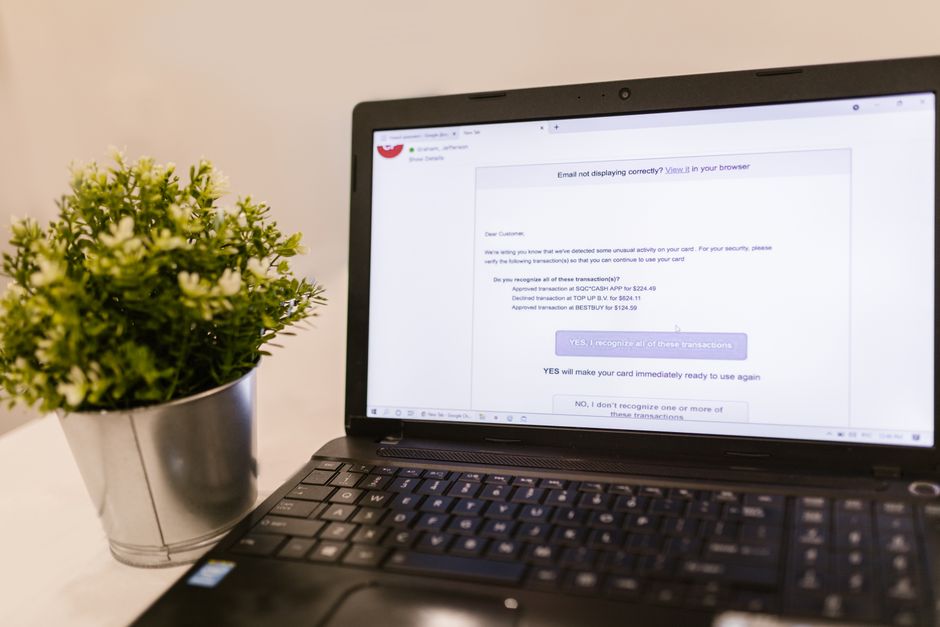
Even with strong passwords, you still need to watch out for phishing scams. Cybercriminals often trick people into giving away their passwords through fake emails or websites.
Here are some signs of phishing attempts:
- Unusual sender addresses
- Requests for personal information
- Urgent or threatening language
If you receive a suspicious email, always double-check the sender and look for signs of a scam before clicking on any links.
Regularly Update Your Passwords
Changing your passwords regularly is a good habit to develop. You don’t need to change them every month, but doing so every 6 to 12 months can help keep your accounts secure.
When updating your passwords:
- Don’t reuse old passwords.
- Make them stronger each time by following the tips above.
- Consider using a password manager to help track changes.
Conclusion
Password security is vital in protecting your personal information online. By creating strong passwords, utilizing password managers, and enabling two-factor authentication, you can significantly enhance your security. Remember to stay vigilant against phishing attempts and keep your passwords updated. Your online safety is worth the effort!