
Introduction
Have you ever received an email that seemed too good to be true? Maybe it promised a luxurious vacation or asked you to verify your bank account details. If so, you might have encountered a phishing email. Phishing is a common tactic used by cybercriminals to steal your personal information.
What is Phishing?
Phishing is like fishing but instead of using bait to catch fish, attackers use fake emails and messages to lure in unsuspecting victims. These messages often look legitimate, tricking you into clicking on dangerous links or providing sensitive information.
How Phishing Works
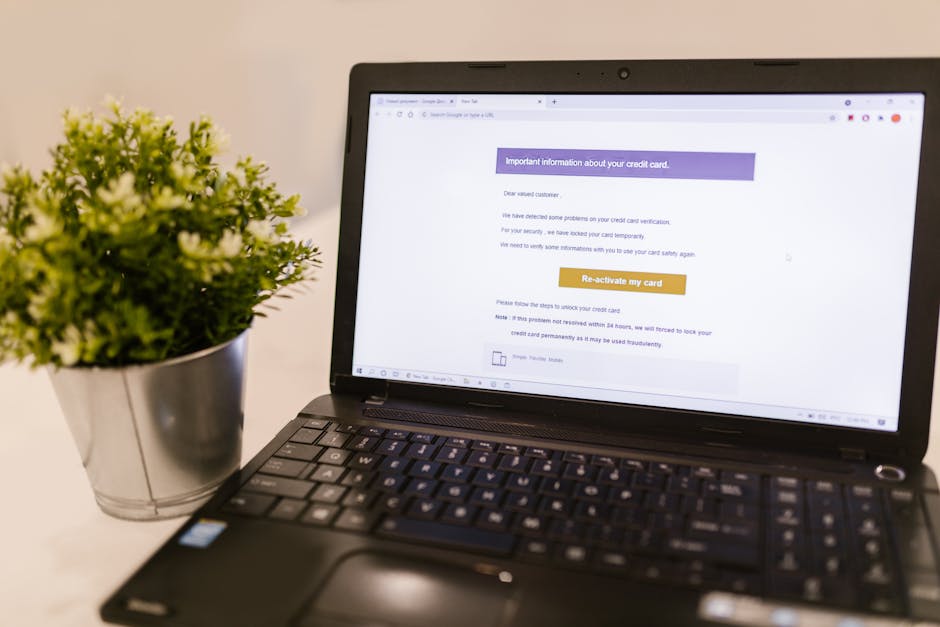
Generally, phishing emails try to create a sense of urgency. They may say your account is compromised and you need to click a link immediately. Once you click, you could end up on a harmful site that looks just like your bank or another service.
Once there, they may ask you to enter personal information such as passwords, credit card numbers, or Social Security numbers. As you can guess, this information ends up in the hands of the scammers.
Types of Phishing
There are several types of phishing to be aware of:
- Email Phishing: These are the regular phishing emails you might receive.
- SMS Phishing (Smishing): Scammers send text messages to trick you into giving away personal info.
- Voice Phishing (Vishing): Scammers call pretending to be from a reputable company and ask for your information.
- Spear Phishing: This is a targeted email attack where the scammer knows specific details about you, making it more convincing.
Recognizing Phishing Attempts
So, how can you spot a phishing email? Here are some signs to look for:
- The sender’s email address looks strange or misspelled.
- The message has grammatical errors or awkward language.
- There’s a sense of urgency, pushing you to act quickly.
- There are unexpected attachments or links.
If you notice any of these signs, it’s best to avoid clicking on anything!
What to Do If You Suspect Phishing
If you think you’ve received a phishing email, here’s what you should do:
- Don’t Click: No matter how tempting, don’t click on links or download attachments.
- Report It: Most email services have a way to report phishing emails. Use it!
- Delete the Email: Get rid of it to avoid accidental clicks in the future.
- Verify: If the email claims to be from a company, check directly with them via their official website or customer service.
Protecting Yourself from Phishing
Fortunately, there are simple ways to protect yourself. Here are some tips:
- Enable Two-Factor Authentication: This adds an extra layer of security to your accounts.
- Keep Software Updated: Regular updates ensure your devices have the latest security features.
- Use Security Software: Anti-virus and anti-malware programs can help detect threats.
- Educate Yourself: The more you know about scams, the less likely you are to fall for them!
Conclusion
Phishing is a serious threat, but by staying informed and cautious, you can protect yourself and your personal information. Always be skeptical of unsolicited messages and remember: if it seems too good to be true, it probably is!
By following these tips and staying vigilant, you can enjoy the digital world with peace of mind. Stay safe out there!