
Introduction
In an age where our lives are intertwined with the digital world, online privacy has become a hot topic. With the rise of social media, online shopping, and remote work, it’s crucial to understand how to safeguard our personal information. This post will explore the essentials of online privacy and provide you with practical tips to protect yourself.
What is Online Privacy?
Online privacy refers to the right to control your personal information when using the internet. It involves how much of your data is shared, who has access to it, and how it is being used. Without proper measures, your sensitive details can be exposed to hackers, advertisers, and even government agencies.
Why Is Online Privacy Important?
Protecting your online privacy is crucial for several reasons:
- Identity Theft: Cybercriminals can steal your personal information to impersonate you, leading to financial loss and a damaged reputation.
- Data Breaches: Companies can suffer breaches, exposing your data to unauthorized individuals.
- Targeted Ads: Companies track your online behavior to serve you ads based on your interests, raising concerns about your private choices being sold.
Common Threats to Your Privacy
Understanding the threats is the first step in protecting your online privacy. Here are some common ones:
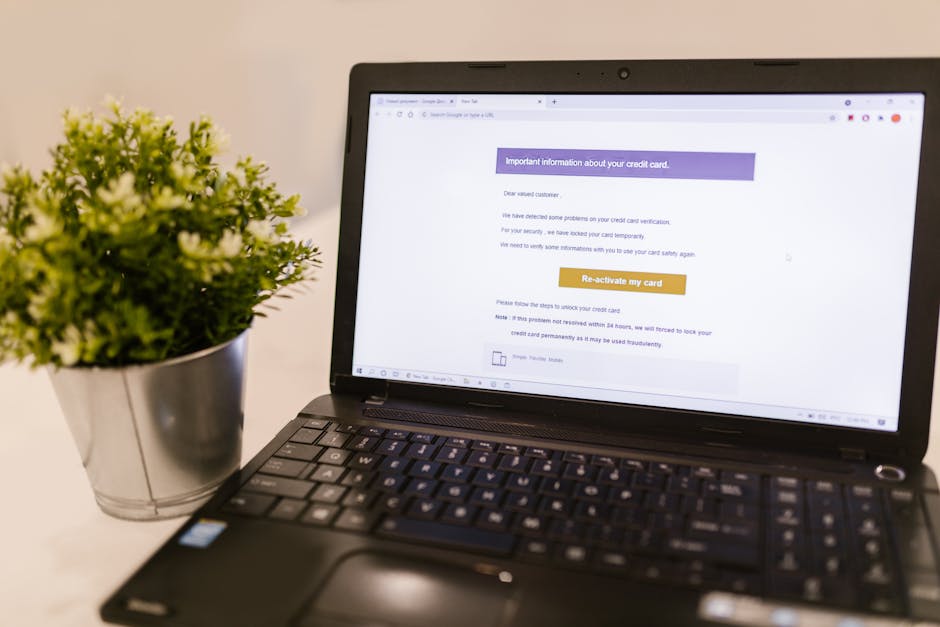
- Phishing Attacks: Deceptive emails or messages trick you into revealing personal information.
- Malware: Harmful software that can track your online activities or steal your information.
- Public Wi-Fi: Using public networks can expose your data to hackers if you’re not cautious.
Tips for Protecting Your Online Privacy
Now, let’s look at some simple yet effective strategies to enhance your online privacy:
1. Use Strong, Unique Passwords
Every account should have its own unique password. Avoid using easily guessable information, like birthdays or common words. A mix of upper and lower case letters, numbers, and special characters makes for a strong password.
2. Enable Two-Factor Authentication (2FA)
Whenever possible, enable 2FA on your accounts. This adds an extra layer of security by requiring a second form of verification, like a text message or an authentication app, in addition to your password.
3. Be Cautious with Public Wi-Fi
If you need to use public Wi-Fi, avoid accessing sensitive information like bank accounts. Consider using a Virtual Private Network (VPN) to encrypt your connection and keep your data secure.
4. Adjust Your Privacy Settings
Take the time to review the privacy settings on your social media accounts. Limit who can see your posts and personal information. Many platforms allow you to customize these settings according to your preference.
5. Think Before You Click
Be wary of clicking on links in emails or messages, especially from unknown sources. Always verify the sender’s identity if something seems off. This will help protect you from falling victim to phishing attacks.
Staying Informed
Keeping up with the latest in cybersecurity can also help you stay safe. Subscribe to cybersecurity newsletters or follow reliable sources on social media. Awareness is key to protecting your online privacy.
Conclusion
In summary, online privacy is essential in today’s digital landscape. By understanding the risks and taking proactive measures, you can better protect your personal information. Your digital footprint matters, so make sure you tread carefully!